In this article, IndicatorShare will introduce two indicators that help identify trading session times and display them directly on MT4. These tools allow you to easily see which trading session the market is currently in, as well as upcoming sessions that are about to begin.
The download links for both indicators are provided at the end of this article.
#1 – Forex Trading Sessions Indicator
First, let’s take a look at the interface after successfully installing the Forex Trading Sessions Indicator:
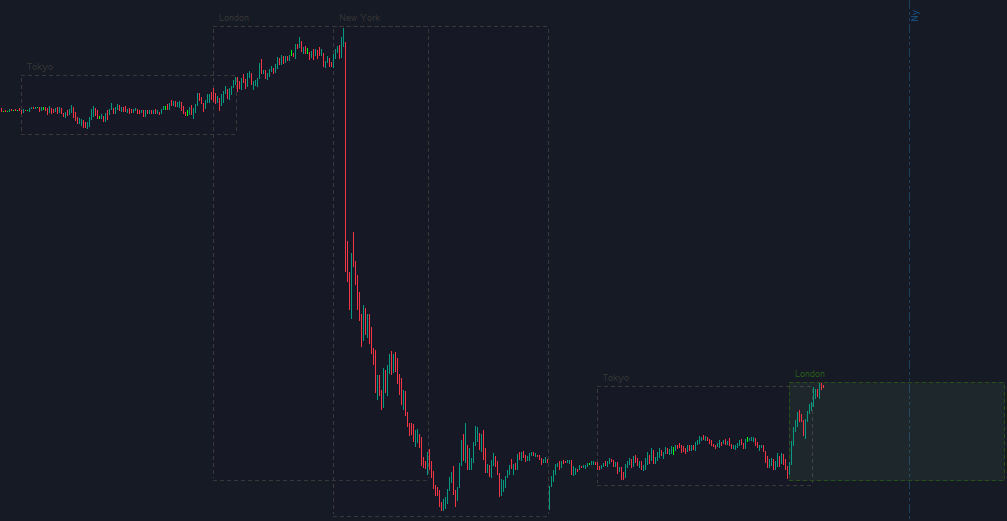
As you can see, this indicator displays trading sessions using vertical lines. It also shows the highest and lowest price levels of each session, forming a rectangular box that represents each trading session. This visual presentation is very useful, especially for traders who prefer breakout strategies based on the price ranges of the Tokyo or London sessions.
The main trading sessions include Sydney, Tokyo, London, and New York. You can also customize these sessions according to your preferences:
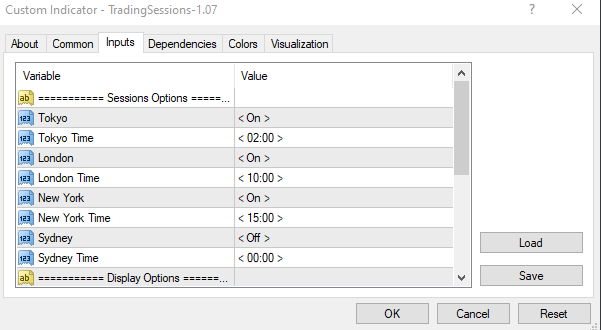
You can trade during the overlap between two trading sessions. For example, when the New York session opens while the London session is still active, price volatility often increases. Traders can take advantage of this strong price movement to look for profitable trading opportunities.
#2- Market Panel Display Controller
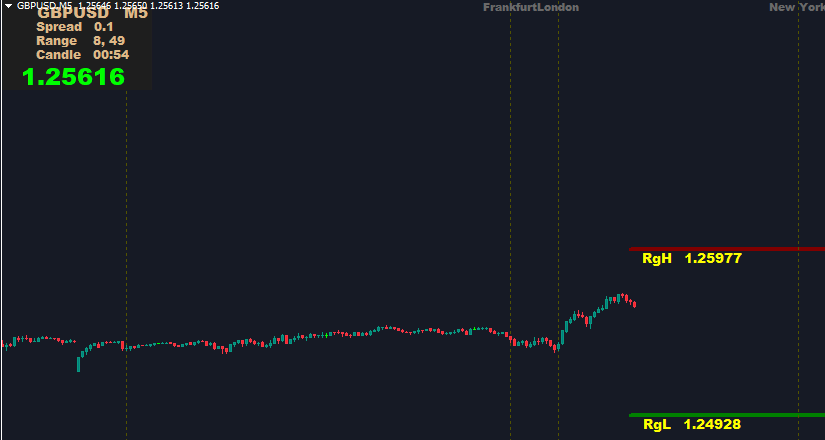
In addition to displaying trading sessions with vertical lines, the Market Panel Display Controller also shows other useful information such as spread, price range, a candle countdown timer (top-left corner), and average high–low ADR levels (RgH–RgL in the bottom-left corner).
If you only want to display trading session time information, you can configure the indicator settings as shown in the image below:
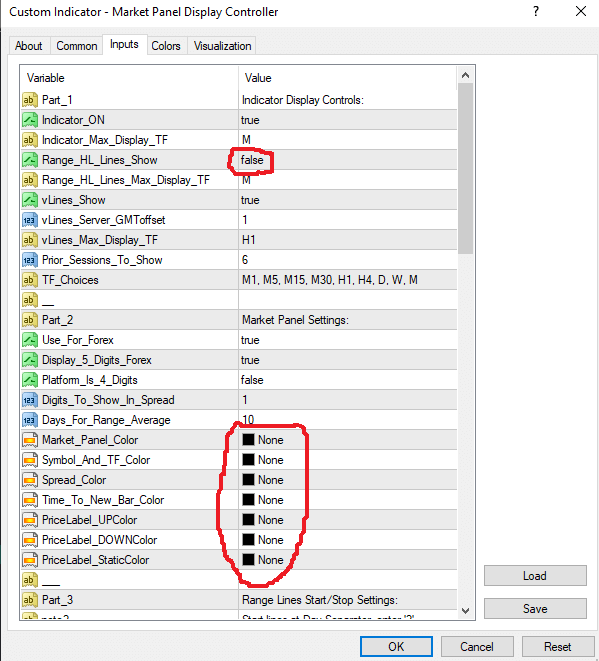
Introduction to a Strategy Using the Forex Trading Sessions Indicator: Tokyo Session Box Breakout Strategy
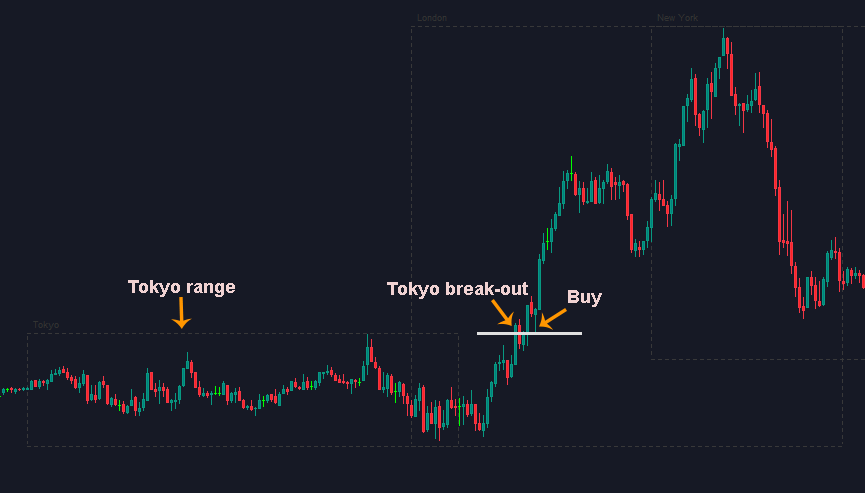
This is a popular strategy among traders who prefer breakout trading.
First, a rectangular box is formed to represent the price range of the Tokyo session.
When the market moves into the London session, wait for the price to break out of the Tokyo box, then look for trade entries.
For a safer setup, you can wait for the price to pull back and retest the Tokyo box area before entering a trade.
In the example shown above, during the London session, price broke out upward from the Tokyo session range, then pulled back to retest the upper boundary of the Tokyo box before continuing higher. You can enter a trade at the pin bar candle shown in the image to achieve a safer entry.
Download
Forex Trading Sessions Indicator MT4
Market Panel Display Controller MT4